AI Video Generator: Turn Text or a Photo into a Video with Wan 3 and Seedance 2.5
2026-10-26
•
AI Video
AI Video Generator: Turn Text or a Photo into a Video
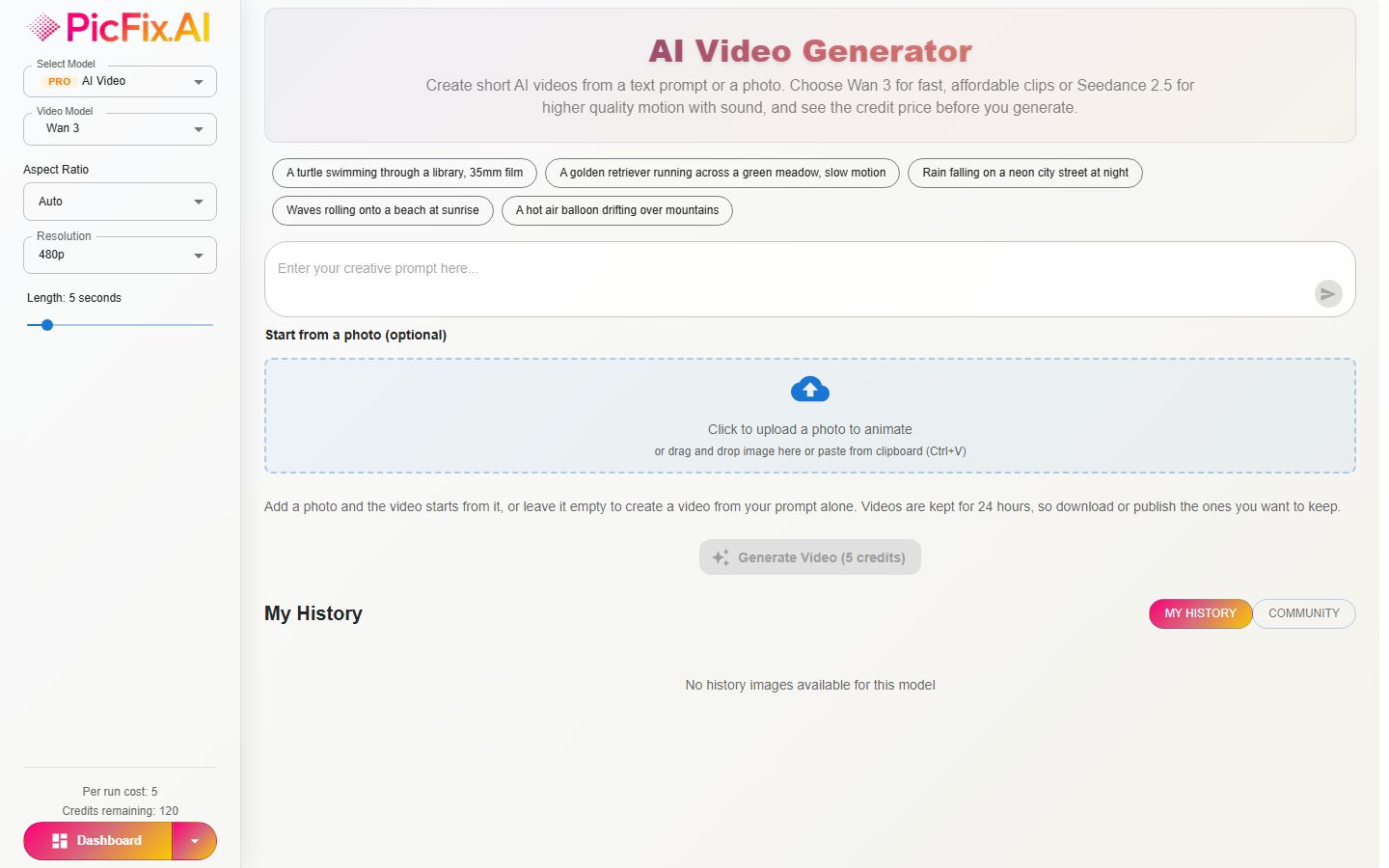
PicFix.AI can now make short videos from a sentence or from a single photo. You pick a model, describe the scene, choose how long the video should be, and see the credit price before you press generate.
This guide explains what an AI video generator does, how the two video models inside PicFix.AI differ, and how to get a better result from your very first clip.
What is an AI video generator?
An AI video generator creates moving footage from a short description or from an image. There are two common ways to use one:
- Text to video: you write what should happen, such as "a turtle swimming through a library, 35mm film", and the model invents the whole scene.
- Photo to video (image to video): you give the model a photo as the first frame, add a prompt, and it brings the picture to life.
Both are useful for social media clips, product teasers, story ideas, mood boards and quick visual drafts before a bigger shoot.
Two video models, one editor: Wan 3 and Seedance 2.5
PicFix.AI puts both models in the same editor you already use for images, so you can switch between them with one dropdown and compare results on the same prompt.
| Wan 3 | Seedance 2.5 | |
|---|---|---|
| Made by | Alibaba | ByteDance |
| Video length | 2 to 30 seconds | 4 to 30 seconds |
| Resolution | 480p, 720p, 1080p | 480p, 720p |
| Start from a photo | Yes | Yes |
| Sound | Clips can include sound | Speech, sound effects and music, with an on/off switch |
| Cost in PicFix.AI | Lower credits per second | Higher credits per second |
Which one should you start with? Try Wan 3 at 480p for quick, inexpensive drafts while you work out the prompt. Switch to Seedance 2.5 when you want control over speech, sound effects and music, or a more polished result.
How to make an AI video on PicFix.AI
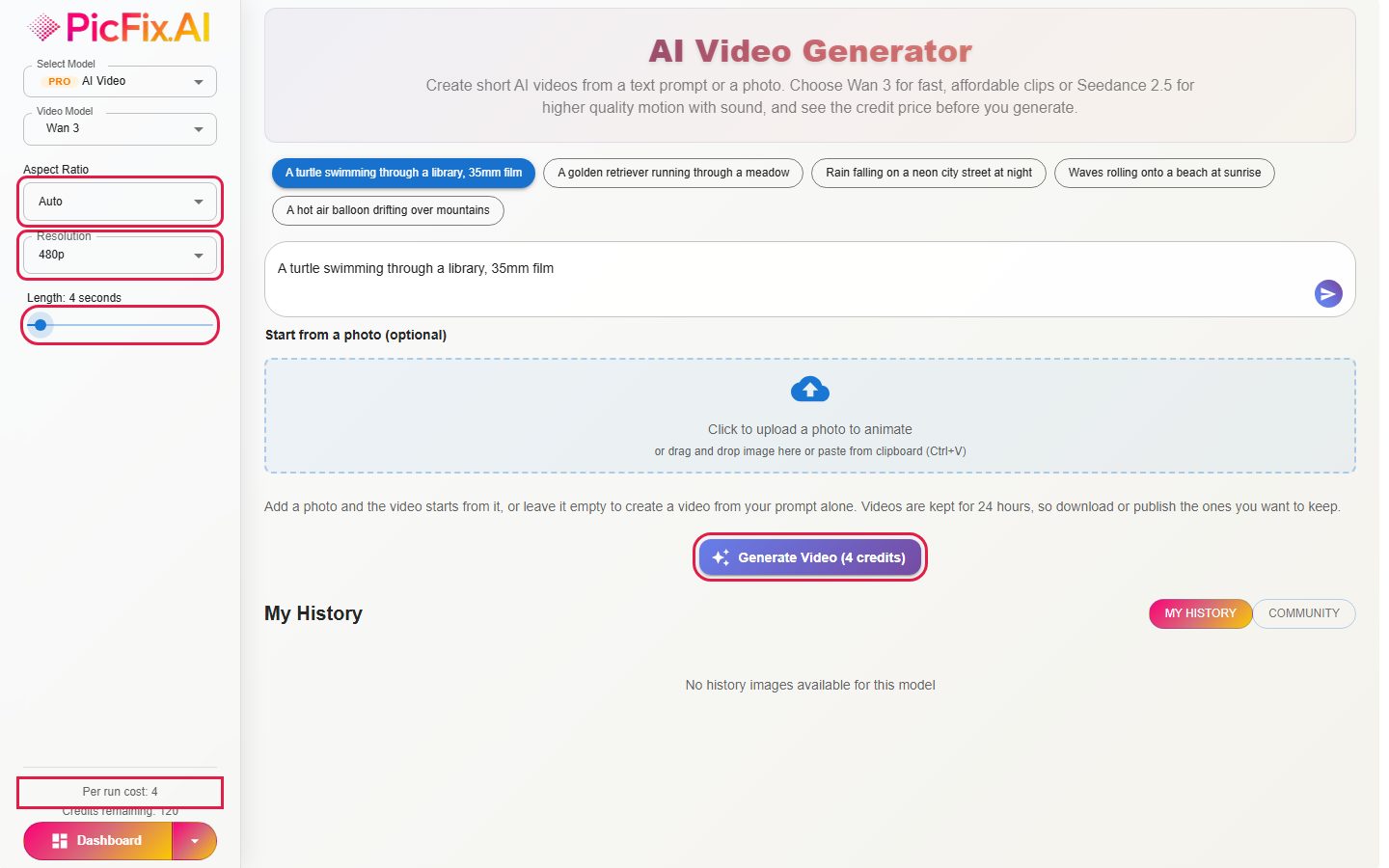
- Open the editor and choose AI Video from the model list.
- Pick a Video Model: Wan 3 or Seedance 2.5.
- Write your prompt, or click one of the example prompts.
- Optional: upload a photo to start the video from it.
- Set the aspect ratio, resolution and length in the left panel.
- Check the price on the Generate button, then press Generate Video.
Your video appears under Generated Video when it is ready. This usually takes a few minutes. You can leave the page and find it later under My History.
How to write a better video prompt
A video prompt works best when it describes a single, clear moment. A few habits help:
- Name the subject and the action. "A golden retriever running through a meadow" gives the model more to work with than "a dog".
- Describe the camera. Words like "slow motion", "close-up", "drone shot" or "handheld" change how the clip feels.
- Set the light and the look. "Warm afternoon light", "neon street at night" or "35mm film" give the clip a style.
- Keep it to one scene. Short clips do not have room for a long story.
- For spoken words with Seedance 2.5, put the dialogue in double quotes.
Using your own photo as the first frame
If you already have an image you like, upload it before you generate. The video starts from your photo, and its shape follows the photo. This is a good way to animate a product shot, a portrait, or an illustration while keeping the look you chose.
Photos can be JPG, PNG or WebP, up to 10MB. Leave the upload empty to create the video from your prompt alone.
How credits work for video
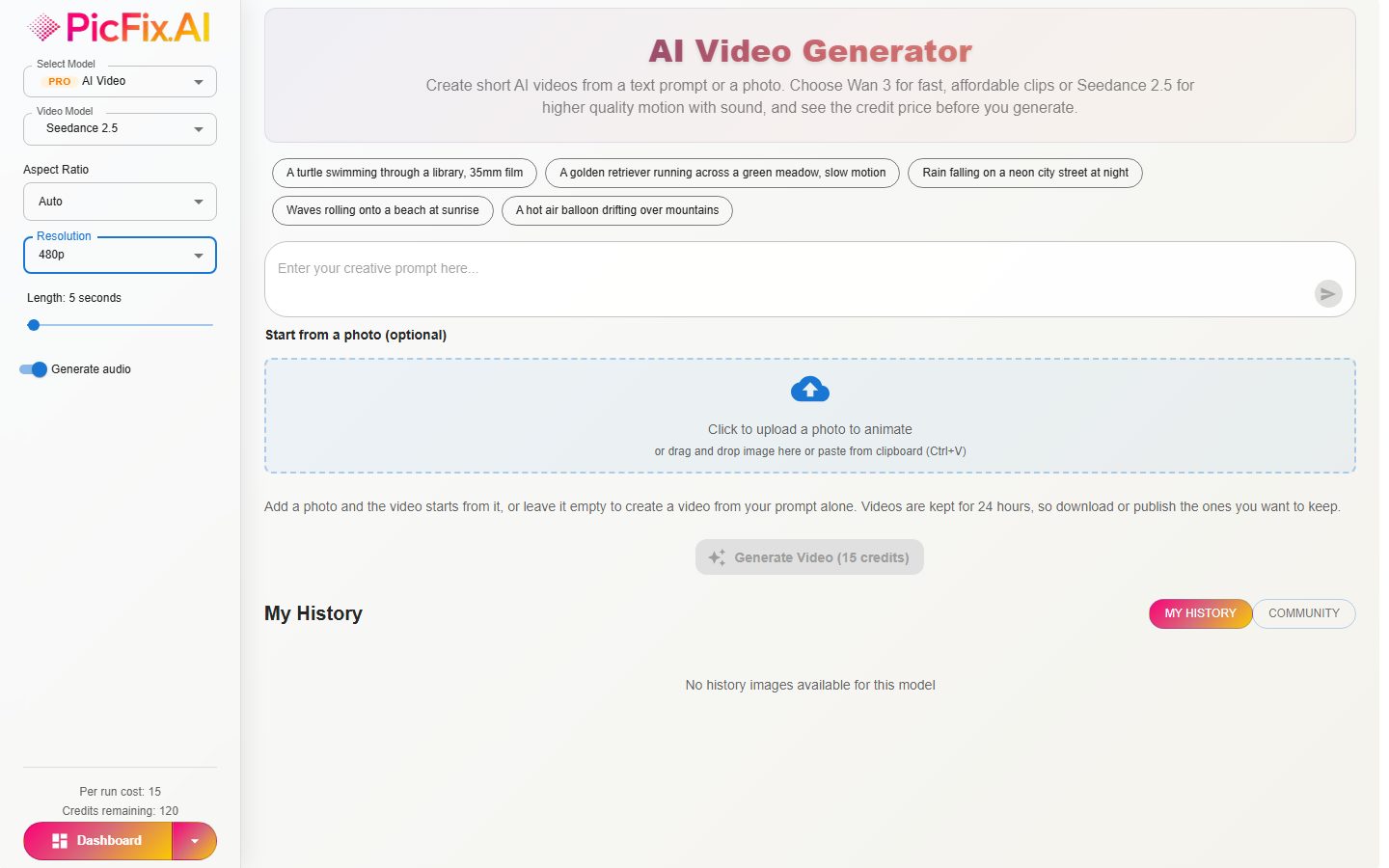
Video is priced per second, so the cost depends on three things: the video model, the resolution and the length. The exact credit price shows on the Generate button and in the left panel while you change the options, so you always know what you will pay before you start.
- Shorter videos and lower resolutions cost fewer credits.
- Wan 3 costs fewer credits per second than Seedance 2.5.
- If a video fails, the credits are refunded automatically.
Keeping and sharing your video
Finished videos are kept for 24 hours, so download any clip you want to keep. If you publish a video to the community, it is saved permanently and appears in the community gallery for others to see.
Frequently asked questions
Can I make a video from just text?
Yes. Write a prompt and leave the photo upload empty.
Can I animate a photo?
Yes. Upload the photo as the first frame and add a prompt that describes the movement.
How long can the videos be?
Wan 3 makes videos from 2 to 30 seconds. Seedance 2.5 makes videos from 4 to 30 seconds.
Does my video have sound?
Often, yes. Seedance 2.5 generates speech, sound effects and music together with the video, and you can turn that off with the Generate audio switch. Wan 3 clips can include sound too, but there is no switch for it.
How long do I have to download my video?
24 hours. After that it is removed, unless you published it.
Make your first AI video
Describe a scene or start from a photo, choose Wan 3 or Seedance 2.5, and see the credit price before you generate.
Open AI Video Generator
Restore Image
Restore Image (Free)
AI Image Generator
Hair Style Changer
Professional Headshot
AI Image Edit
Combine Images
Text/Watermark Removal
Remove Object
Re-imagine
Home Designer (Free)
AI Video Generator
Privacy Policy
Terms of Service
Refund Policy